0
₱0.00
Mini Cart
Empty cart
No products in the cart.

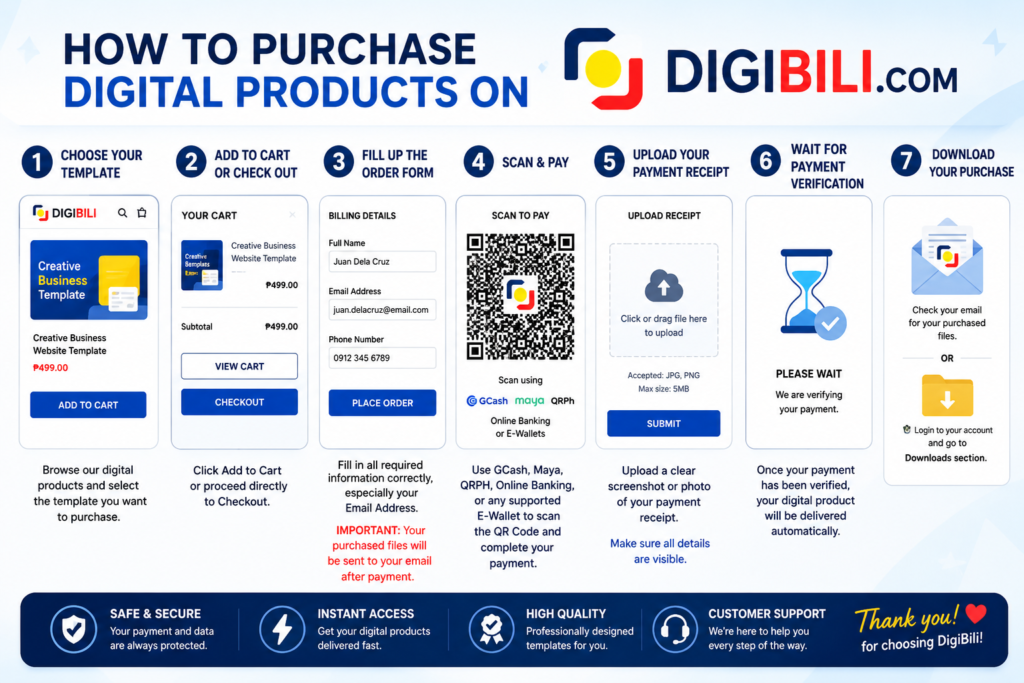
1️⃣ Choose Your Template
Browse our digital products and select the template you want to purchase.
2️⃣ Add to Cart or Buy Now
Click Add to Cart or proceed directly to Checkout.
3️⃣ Complete the Order Form
Fill in all required information correctly, especially your Email Address.
⚠️ Important: Your purchased files will be automatically sent to the email address you provide after successful payment verification.
4️⃣ Scan & Pay
Use GCash, Maya, QRPH, Online Banking, or any supported E-Wallet to scan the QR Code and complete your payment.
5️⃣ Upload Your Payment Receipt
Upload a clear screenshot or photo of your payment receipt.
6️⃣ Wait for Payment Verification
Once your payment has been verified, your digital product will be delivered automatically.
7️⃣ Download Your Purchase
You can access your purchased files through:
💡 If you don’t see the email, please check your Spam/Junk Folder.
Thank you for choosing DigiBili!